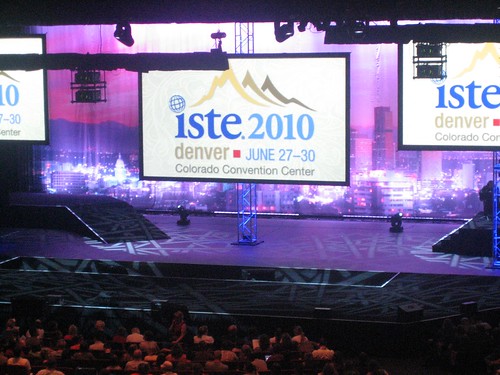
Wednesday, September 1, 2010

Take 5! Integration Update - September 1, 2010 (Vol.2/#1)


Here is your 1st installment of the
Take 5! Integration Update 
for the 2010-2011 school year. 


“Take 5” is a weekly update containing information related to teaching and learning for today and beyond...

Take just 5 minutes (or less) to look over these resources and see what might be helpful for your and/or your students. Better yet, set aside at least 15-30 minutes a week (yes, that's been increased from last year!) to focus on finding resources and ideas that will improve student learning and prepare them for their future!

===================================

Tips and Tools for Teachers - Beginning of year reminders...
  • YouTube -- Did you hear that teachers (JH, HS and soon Elem) now have access to YouTube without being blocked? Just remember to do your searches and screen preparations OFF the projector (not with students watching) in case something unexpected shows up! If there are questionable related videos or you prefer a "clean look," try one of these options:
YouTube XL - http://www.youtube.com/xl
QuietTube - follow directions here - http://quietube.com  
  • Thinkfinity - free resources and lessons for teachers from Verizon -- Click on the "New to Thinkfinity" link on the right side to learn more!

Ponderings

Learning Opportunities
  1. In the right margin of this blog, enter your email to receive future postings into your email Inbox (Take 5s and more!) -- plan on 1-3 posts per week.
  2. District Professional Development Opportunities - Calendar 
  3. NWOET's Scanner Newsletter - pdf (August 2010) - includes listings for fall PD opportunities (online and face-to-face)

;-) Just for Fun! (and a little learning, perhaps)


Tuesday, August 31, 2010

Education Nation by Milton Chen


Watch the 60-minute webinar from August 2010 and various resources about Milton Chen's new book, "Education Nation: Six Leading Edges of Innovation in Our Schools." Milton is the senior fellow, The George Lucas Educational Foundation (who funds Edutopia).

The Six Edges of Innovation are:
  1. 1. Thinking - from either/or to "both/and"
  2. 2. Curriculum and Assessment - social/emotional, global, and bilingual learning
  3. 3. Technology - 1:1, intelligent text, assistive tech, universal design, serious games
  4. 4. Time/Place - where learning "occurs"
  5. 5. Co-Teaching - mentorships, collaborations, etc.
  6. 6. Youth - their world and realities


Thursday, August 26, 2010

9 Things Teachers Wish Parents Knew


From Good Housekeeping... (For more details, visit the complete article from Yahoo Shine http://shine.yahoo.com/event/backtoschool/9-things-teachers-wish-parents-knew-2342257/ )

1. Don't be a stranger!
2. Learning doesn't stop at 3:15.
3. Stay involved — even when you don't know the material.
4. Keep your child organized.
5. Let your child make mistakes.
6. Raise a good reader.
7. If the teacher deserves a good grade, give her one.
8. The teacher's on your side — give her the benefit of the doubt.
9. There is a secret to better grades.

My only suggestion would be for #4... To revise to “help keep your child organized” rather than doing it for them. But they do need examples and role models, which often falls on the classroom teacher — at ALL grade levels!
 

Which of these (or others) do you share with parents? (add your comments below!)

Wednesday, August 18, 2010

Excel Calendars


Below is a link to calendar template files made in Excel that you can download free for personal use (no selling them, please!!!!)  ;-)  Just to mention, these do contain macros, so check with your tech staff BEFORE using, if there are concerns.

http://www.vertex42.com/ExcelTemplates/yearly-calendar.html


Sunday, August 8, 2010

Shelley & Brittany's ISTE Adventure Blog


If you have a couple minutes, check out Shelley Bertsch's and Brittany Fenderson's (aka - Shel & Brit) blog about their adventures at the ISTE educational technology conference in Denver. Notice that they made their blog with Wordpress, while this one is done with Blogger (a Google tool).

http://isteadventure2010.wordpress.com/


For more information about ISTE (International Society for Technology in Education), visit the ISTE website... LOTS of great resources, including the NETS (National Educational Technology Standards) for students, teachers, and administrators.


Thursday, July 1, 2010

Teaching & Learning 2.0 Institute


On June 21-22, eight teachers representing each of Rossford's five schools attended the first Teaching and Learning 2.0 Institute. Although from various grade levels and subject areas, TL2 Institute participants still found common ground with their experiences in teaching students today, including how they can continue to work to help students be successful in the classroom and future pursuits.

Outcomes for the T&L 2.0 Institute included:
  • Explore the NETS-S, 21st Century Skills, and the Ohio Academic Content Standards and how they can be integrated to meet student needs
  • Identify tools and alternatives that allow students to meet educational goals and prepare them for their future
  • Begin (or continue) the process to develop a life-long learning plan and practice for meeting your professional goals
  • Develop lessons and assessments for 21st Century Learning
  • Find and use online resources for curriculum and lesson development
This wiki site shows some of the topics, tools, and lesson ideas that participants worked on (and continue to work on throughout the year). Look for more opportunities similar to this during the 2010-11 school year and next summer!

Tuesday, June 15, 2010

Jamie McKenzie Workshop on "Questions of Import"


Author, former teacher, and international speaker Jamie McKenzie visited Rossford on June 9th to work with teachers as part of the I-LITE grant series, which also included sessions on June 7 and 8. Jamie presented a session called "Beyond Cut and Paste" for over a dozen educators from Rossford and surrounding school districts. Below are a few of the highlights and pictures from his session and Jamie's discussion with participants:

*****************************************
For research projects, change from "Scoop and Smush" (topic research projects) to researching "Questions of Import" (see his article here).  

An example... rather than assign students to do a research paper on "Captain James Cook" or some other explorer, have them answer this question: "Which of the following captains was the best at navigation? (Captain James Cook, Captain Matthew Flinders, Captain George Vancouver, or Captain William Bligh)"

And as Jamie states, "This type of research is much more demanding than copy-and-paste research, but ultimately more rewarding and more empowering because it equips students to wrestle with the real issues of their own lives." Students must "think toward the top" (of Bloom's taxonomy) -- analysis, synthesis, and evaluation. In other words, students should not be required to just paraphrase or regurgitate, but have and articulate original ideas.


*****************************************

Jamie speaks to participants about "Beyond Cut-and-Paste" research...


"Replacing Topical Research with Inquiry that Matters"... (aka - "Questions of Import")


Teachers hard at work crafting their "Questions of Import" lessons...


Teachers share their lessons and view others'...


Two sample lessons from pictures...


Tuesday, May 18, 2010

Take 5! Integration Update - May 18, 2010 (Vol.1/#11)


Finally! -- This one is a little behind, but I know you’re busy! Enjoy!


Here is your 11th installment of the Take 5! Integration Update.
“Take 5” is a weekly email update containing information related to teaching and learning for today and beyond...

Take just 5 minutes (or less) to look over these resources and see what might be helpful for your and/or your students. Better yet, set aside at least 15 minutes a week to focus on finding resources and ideas that will improve student learning and prepare them for their future!


Tips and Tools for Teachers
1) Games for SMART Boards -
http://www.teacherslovesmartboards.com/games_for_smart_boards 

From a great site for SMART Board resources (Teachers Love SMART Boards) -- sign up for their email updates of new posts!


2) PicSearch - http://www.picsearch.com  
Since Google or Yahoo images are blocked in schools (for good reason), here’s a quick, easy, safer alternative. It also shows the 4 most popular searches every time you visit — Today: Lady Gaga, Oil spill, England, and Iron Man 2 (interesting that Lady Gaga is more “popular” than an enormous natural disaster in the making!)
(NOTE: if having students search for certain picture topics, be sure to do the search yourself first! Rarely is there a problem on this site, but it could happen. I have used it mostly for “teacher” purposes to find images to use.)


Ponderings
Student Feedback/Surveys – Do you ask students to evaluate you as a teacher? Or the assignments, projects, and/or tests you give? See what Boston students have requested of their teachers, all for the purpose of improving learning... http://bit.ly/aptXHw 


Learning Opportunities
Atomic Learning – Watch a 5 minute Jing video showing an overview of the Atomic Learning resource... http://screencast.com/ -- deleted due to REVS information
Or another 4 min. video on what the videos look like... http://screencast.com/ -- deleted due to REVS information

 REVS’ Summer Workshops and Trainings - http://ed-tech-integration.pbworks.com/Summer-PD


Just for Fun! ;-)
Happy Feet (aka – The “May 26 Teacher Dance”) -- Your students are already doing this dance!
http://www2.warnerbros.com/happyfeet/flash.html

Monday, May 10, 2010

iSAFE, cell phones, and sounds some can't hear


One of the most enlightening tidbits from the iSAFE session this morning may have been about cell phone ring tones that “adults” cannot hear. Although I had heard of this and seen websites a couple years ago, as a former science teacher, I had to do more investigating regarding the science behind it all and thought I’d share a little...

Notice from the chart below that younger folk (aka – our students, children) can apparently hear tones closer and possibly beyond the 20,000 Hz (hertz) or 20 kHz, as can rats, cats, dolphins, moths, mice, and sea lions. Insert your comments here: _______

From - http://faculty.washington.edu/chudler/facts.html

Hearing Range (young adult human) = 20 to 20,000 Hz
Hearing Range (elderly human) = 50 to 8,000 Hz (Guyton, A.C., Textbook of Medical Physiology, 1986)
Hearing Range (rat) = 1,000 to 50,000 Hz
Hearing Range (cat) = 100 to 60,000 Hz
Hearing Range (dolphin) = 200 to 150,000 Hz
Hearing Range (elephant) = 1 to 20,000 Hz
Hearing Range (goldfish) = 5 to 2,000 Hz
Hearing Range (moth, noctuid) = 1,000 to 240,000 Hz
Hearing Range (mouse) = 1,000 to 100,000 Hz
Hearing Range (sea lion) = 100 to 40,000 Hz
(Hearing range reference: Discover Science Almanac, New York: Hyperion, 2003)
Most sensitive range of human hearing = 1,000-4,000 Hz

And if you’d like to have your children or students tell you when your phone is ringing, here’s a website for you to test your hearing and/or download one of these ring tones — called “Mosquito Ringtones.” Better yet, for those w/ a home phone that never rings for you, maybe this tone can be used for that as well (just kidding).

Note that (for good reason) this site is blocked at school, so try it at home! A variety of tones are listed that you can test and then determine what you can/can’t hear. FYI — 18.8 kHz was my highest threshold! I feel so young!!! With all the loud music via earbuds, I wonder how soon kids’ hearing will no longer be able to hear these high pitch sounds.

http://www.freemosquitoringtone.org/ 

Lastly, here’s a NYTimes story about it... From 2006 (it’s only been 4 years you haven’t noticed kids getting cell calls/texts... Not too bad!)
http://www.nytimes.com/2006/06/12/technology/12ring.html?_r=1