Showing posts with label Tools4Tuesday. Show all posts

Tuesday, April 24, 2012

Tools for Tues: Livebinders & Infographics

Here are two tools that are visual AND help us organize information, which is an essential skill today and well into the future...


LiveBinders - although not a new "tool", this may be an alternative for teachers or students to save websites, PDFs, videos, images and more to one location... Here are some possible uses:
  • bookmark/favorites alternative
  • eportfolio
  • online presentation resource (alternative to PowerPoint)
  • collaborative resources space (share with colleagues and all add to it)
===============================
 
And take a look at this sample LiveBinder on Infographics -- the FUTURE of presenting/sharing information!


Learn more! Here are some more resources on InfoGraphics...
Visual.ly - a website dedicated to visual expression of data and information... Explore, share, and create here!

Infographics App — An app for finding infographics


Tuesday, April 3, 2012

Tools 4 Tuesday: SMART Board Thinking Games, Audio Books & eBooks, and Interactive Maps


Librivox: Free books site (eBook links & Audio recordings of book readings) - books from public domain

======================


Cool Interactive Map Website
http://show.mappingworlds.com/usa/

Choose from the U.S., World, or Japan... "Select a subject from the top menu and watch the countries on the map change their size. Instead of land mass, the size of each country will represent the data for that subject --both its share of the total and absolute value."
 
======================
 
 SMART Board Logic Games
(Re-shared from Teachers Love SMART Boards)
Here are five strategy games that Teachers Love SMART Boards blog best qualified as "educational." You can click these links to view and/or download these SWF files which can be inserted onto a SMART Notebook slide/page.

1. Peg SolitareJump over other pegs until all the pegs are removed from the board.


2. ShotTry to knock other balls off the grid. Be careful you don't leave a ball alone on the grid.


3. Code MasterThis is my favorite game. You have to assign a number from 1 – 9 to a letter to break the code. This game uses handwriting recognition to recognize the numbers that are written. It works very well although it struggled a few times trying to recognizing my number 8.


4. Recognizer This is another number recognition activity where students can write in the answer to a two-digit addition problem using the SMART Board pen or their finger and the activity will recognize what number they wrote.


5. Tacoyaki - Click tiles to change the color of the surrounding tiles trying to get all the tiles the same color.


Tuesday, February 21, 2012

SMART Board Tip: Reset an Activity Page

One great tip is for Resetting a SMART Notebook page for the next student, class (or for next year). Rather than press Undo several times or remember to NOT save (which we all forget sometimes and hit the "Save" button accidentally!), try this trick described at the blog post below:

(Originally from Teq
 Creating a "Reset Button" in a Smartboard Notebook file:
1)  From your interactive student page, while the page is in "start" mode and without moving any of the objects, create a 1 second Page Recording... To do so:
   a) From the Properties tab, click on Start Recording (or the dot/circle) and record for 1 second only)
   b) then click on Stop Recording (or the dot/circle again) - automatically producing a Play Recorder button on the bottom of your slide.


3.  Students can do the activity and move objects within the page, when they are done simply click on the Play button (triangle > button) and your page will reset!


Tuesday, January 31, 2012

Tools 4 Tuesday: Free Books!

Meeting a need for reduced cost and increased digital literacy (literally!), here are two options for free books for schools (and parents, students) to consider... 

=====================
Free EPUB eBooks, which includes mostly classics and/or public domain titles.
Here are just a few of the MANY available (view online, but download with one of the devices listed below):
  • Oliver Twist
  • Little Women
  • Pinocchio
  • Alice in Wonderland 
  • Adventures of Tom Sawyer
  • The Wonderful Wizard of Oz
  • Doctor Dolittle
  • Aesop's Fables
  • The Prince
  • Robinson Crusoe
  • Scarlet Letter
  • Moby Dick
  • David Copperfield
  • Wuthering Heights
Read eBooks on your smart phone, iPad, Nook, Sony Reader, and links to get free downloads for Amazon's Kindle (see full list of compatible devices here - http://www.epubbooks.com/ebook-readers )


Tuesday, December 20, 2011

Tools 4 Tuesday: Live & Captured Images with EarthCam & Gigapan


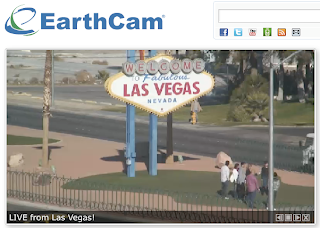
EarthCam - view webcams from around the world 
http://www.earthcam.com/
Perhaps what happens in Vegas may no longer stay in Vegas! Do you think they know they're being watched? Bring to life various spots around the globe... discuss privacy issues and/or life in the 21st century as compared to past centuries... compare/contrast different locales and/or cultures (clothing, earth/ground features, genders, etc.)... count on-camera visitors for a math or graphing lesson... What else??? Other ideas? (share your comments below this post)

=========================


Gigapan - incredibly detailed pictures of famous places and events around the globe taken using a special camera mount (learn more HERE)
http://gigapan.org/
Zoom in to see more of what you may never be able to see in person! Choose from a growing gallery of over 50,000 images
NOTE: this camera mount technology is brought to us by the NASA Mars Rover missions! Technically, we (taxpayers) helped fund this technology!

See more examples in their galleries:
Art in Gigapan
Obama's Presidential Inauguration
Famous Landmarks
Underwater


Tuesday, November 22, 2011

Tools 4 Tuesday: PicLit & Build Your Wild Self!


PicLits – Inspired Picture Writing
http://www.piclits.com/
Grades 2-12+
====================


Build Your Wild Self - Build yourself out of various animal parts! Great for creative writing, animal traits, adaptation, etc.


Tuesday, September 27, 2011

TOOLS for Tuesday: Microsoft Lesson Plans


Have you ever used one of the activities from this website before? You can search by topic, subject, time constraints, program/application, and more! Lots of detail in each to support the process of technology integration.
http://www.microsoft.com/education/en-us/teachers/plans/Pages/index.aspx

TOOLS 4 Tuesday: Early Elementary- Speakaboos

Speakaboos provides stories, songs, games, and worksheets that can be used with our without a SMART Board... Even has Spanish versions! There are many Arthur stories and classics songs, such as...
“Wheels on the bus go round and round”, Alphabet song, and “I’ve Been Working on the Railroad”!
Sign up for the free access, or pay $$$ for more resources.


Tuesday, September 13, 2011

TOOLS for Tuesday: Teachers Love SMART Boards


Elementary teachers... a GREAT resource:

Teachers Love SMART Boards
http://www.teacherslovesmartboards.com/

In the right margin of their, sign up for updates (which only come 1-2 times/month). GREAT tips and sites to use with your SMART Boards. Read old posts (see list on left) to learn more in one sitting!


Tuesday, August 30, 2011

TOOLS 4 Tuesday: 1-Page Map Maker & Teacher's Tape


National Geographic’s 1-Page MapMaker 
(in beta or test-version, so may not function perfectly, but still can be a great resource!)
"Customize one-page maps and download, email, print, or share!"
(OR... Use on your SMART Board, just capture the map with your Image Capture tool and use!)

 
 _____________________________________________
 
 
Teacher's Tape
Foam tape for wall hangings, magnetic tape, non-stick tape for shelves, and more! 

As the year begins, classrooms are still taking shape. Why not use an alternative to tape that stays up longer and is safer for most surfaces. I've used this before and found it to be a better option on some wall surfaces. NOT FREE :-( ... but you can get a FREE SAMPLE.